Google

The fastest search engine in town! Try it now...

Thursday, April 21, 2011

Download MP3 songs straight to your phone for FREE?


1) Download Tube2Mp3 for Mobile at http://www.getjar.com/mobile/68648/tube2mp3/ using any browser from your phone.

2) Click Download button and follow instructions given.

* Check compatible phones? Click here

3) Then install and run the apps...

Thursday, March 3, 2011

3 fav apps for your iPhone...

Got iPhone4?
Load it up with 3 most fav Apps in the market..

1) Bump
- This is a brilliant idea. Choose what you want to share (contact details, calendar entries, LinkedIn profiles or less worky stuff like photos) connect with your fellow Bump user and bump your phones together. The data will be transferred..

2) Facebook : Asks what you thinking...
- The world's most popular social network has its own essential app. It can be buggy, but constant updates should fix that. And eventually Facebook will be the only way we ever connect with anyone, so it's probably best to keep yourself in the loop.

3) Twitter : Asks what you doing...
- A social networking and microblogging service that allows you answer the question, "What are you doing?" By sending short text messages 140 characters in length, called "tweets"n to your friends, or "followers."
Sent by DiGi from my BlackBerry® Smartphone

Terjemahan Al-Quran Dalam Bahasa Melayu


Salam...

Go to this link...
http://www.iium.edu.my/deed/quran/malay

Wednesday, February 23, 2011

How to promote your Facebook Page

There are many ways to Promote Your Facebook Page:

1) Advertise on Facebook. - Pay
2) Get a Badge. - Free
3) Add a Like Box to your Website. - Free
4) Create Alias. - Free
5) Send an Update. - Free
6) See all updates (3) - Free

But the most effective way was no.3 Add a Like Box to your Website.

The Like Box is a social plugin that enables Facebook Page owners to attract and gain Likes from their own website. The Like Box enables users to:

•See how many users already like this Page, and which of their friends like it too
•Read recent posts from the Page
•Like the Page with one click, without needing to visit the Page

See example below...
Within 1 year and 3 month Berita Harian Online Pages reach 300,000 fans. Very effective and the most important things was everything is FREE...


Click here for further info...

Tuesday, January 25, 2011

Keyboard Shortcuts For Firefox 3 For Windows

Below is a list of keyboard shortcuts that can be used in Mozilla Firefox 3 for Windows.

  • CTRL+D: Add a bookmark.
  • BACKSPACE: Move back.
  • CTRL+B: Open Bookmarks in browser sidebar.
  • CTRL+I: Open Bookmarks in browser sidebar.
  • F7: Toggles Caret Browsing on/off.
  • CTRL+W: Close current tab.
  • CTRL+F4: Close current tab.
  • ALT+F4: Close current window.
  • CTRL+C: Copy.
  • CTRL+X: Cut.
  • CTRL+MINUS: Decrease text size within web page.
  • SHIFT+DEL: Delete an individual form.
  • CTRL+J: Launch Download Manager.
  • CTRL+G: Find again.
  • SHIFT+F3: Find previous.
  • F11: Put the current browser window in full screen mode.
  • F1: Launch Firefox Help.
  • CTRL+H: Display your browsing history.
  • ALT+HOME: Load your home page.
  • CTRL+PLUS: Increase text size within web page.
  • F6: Move to next frame.
  • SHIFT+F6: Move to previous frame.
  • CTRL+T: Create a new tab.
  • CTRL+TAB: Make the next tab active.
  • CTRL+N: Open a new browser window.
  • CTRL+O: Launch the Open File dialog.
  • CTRL+ENTER: Open a link in a new tab.
  • CTRL+U: Display the source of the current page.
  • CTRL+V: Paste.
  • CTRL+PAGE UP: Make the previous tab active.
  • CTRL+P: Print.
  • F5: Refresh the current page.
  • CTRL+F5: Refresh the current page, overriding your cache.
  • CTRL+S: Open Save Page As... dialog.
  • ALT+ENTER: Open Save Link Target As... dialog.
  • CTRL+A: Select all.
  • CTRL+L: Select location bar.
  • CTRL+DOWN ARROW: Select next respective search engine in search bar.
  • CTRL+UP ARROW: Select previous respective search engine in search bar.
  • CTRL+Z: Undo.


Thanks to Scott Orgera, About.com Guide

Monday, January 10, 2011

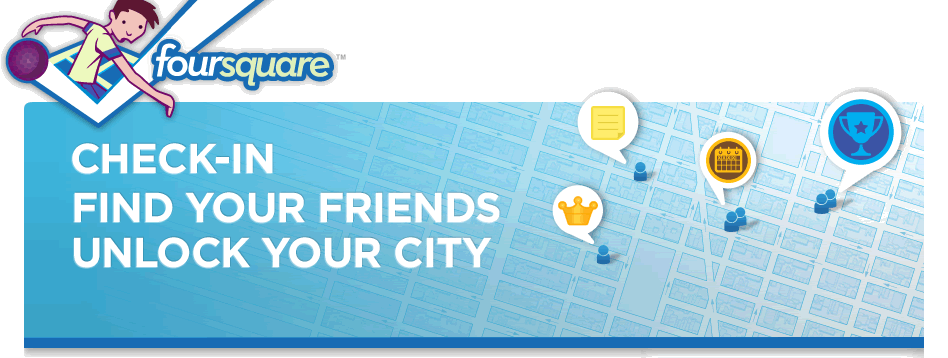
Foursquare: Check in, Find you friends & Lock your city


What is foursquare?


Are you familiar with Social Networking Application such as Facebook or Tweeter? If yes... It will be no problem to you to understand Foursquare because this apps also stayed in the same group as Facebook and Tweeter.   

Foursquare is a mobile application that makes cities easier to use and more interesting to explore. It is a friend-finder, a social city guide and a game that challenges users to experience new things, and rewards them for doing so. 

What we can do with it?
User can "check in" to a place when they're there, tell friends where they are and track the history of where they've been and who they've been there with.

For more information, go to Foursquare now!

Fyi... As of December 2010, foursquare had over 5 million users worldwide.

Friday, January 7, 2011

DiGi launch NEW hot deal!


Have you dream to get an IPad? It very expensive isn't it? Now you can get a gadget with look alike IPad - same feel but a bit small) with Digi new Samsung Tablet hot deal...

You can enjoy 3GB speed broadband plan from only RM38 + FREE modem & No Contract

Further more... you also get FREE Unlimited songs downloads & RM5 auto payment rebate..

So, hurry... go to DiGi website now!

* Terms & condition apply.

More info about Samsung Galaxy Tab
Terkini & Sensasi
Dapatkan berita terkini dan hiburan sensasi di portal khas gabungan akhbar-akhbar online di Malaysia sekarang!
http://malaysianonestopnews.blogspot.com/

Blog archived (by month)

Year(s) Month(s)
2011 Jan - Feb - Mac - Apr - May - Jun - Jul - Aug - Sep - Oct - Nov - Dec
2010 Jan - Feb - Mac - Apr - May - Jun - Jul - Aug - Sep - Oct - Nov - Dec
2009 Jan - Feb - Mac - Apr - May - Jun - Jul - Aug - Sep - Oct - Nov - Dec
2008 Jan - Feb - Mar - Apr - May - Jun - Jul - Aug - Sep - Oct - Nov - Dec
2007 Jan - Feb - Mac - Apr - May - Jun - Jul - Aug - Sep - Oct - Nov - Dec
Related Posts with Thumbnails